
Hello and thankyou for reading my first post!
I have put this post together to outline the additional steps that I had to recently complete to successfully delete an Azure / Entra ID tenant. This task came about after a recent aquisition which mean the tenant in question was redundant after the resources had been migrated.
The additional steps were not mentioned in the Microsoft Learn article which in most circumstances successfully guides you through how to delete an Entra tenant. For reference, the guide I am referring to can be found here: https://learn.microsoft.com/en-us/entra/identity/users/directory-delete-howto.
Before being able to proceed to delete an Entra tenant, you will need to complete (as outlined in the above guide) all of the pre-requisites, once complete they should all have a green status as shown in the below screenshot:
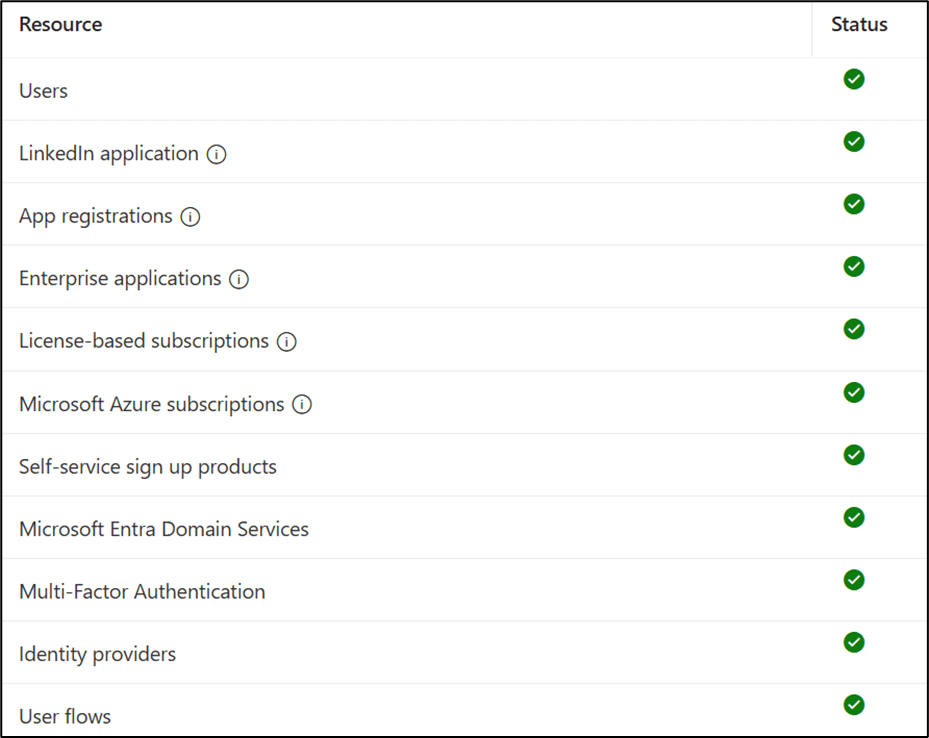
This status page is available in the Entra Admin Centre (entra.microsoft.com).
To note, for the License-based subscriptions status to pass it took around 120 days, this was due to the licenses in my tenant being provided by a reseller meaning it took longer for the licenses to move through each stage before being finally deleted from the tenant.
However, although the pre-requisites passed as shown above, I still could not delete the tenant in question, I kept receiving the below error suggesting it was due to left-over Enterprise Applications:
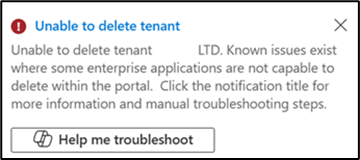
There were no Enterprise Applications left-over, the only ones I could find via Microsoft Graph were ‘Microsoft Internal’ Enterprise Applications, but I ended up spending a chunk of time trying to remove these as per the guidance here: https://learn.microsoft.com/en-gb/entra/identity/users/directory-delete-howto#remove-enterprise-apps-that-you-cant-delete. However, this did not achieve anything as it turns out deleting ‘Microsoft Internal’ Enterprise Applications has been blocked (naturally).
In the end I conceded and ended up raising a ticket with Microsoft Azure support.
To my surprise I was advised that the problem stopping me from deleting the tenant, was due to some legacy Microsoft partnership relationships still being registered in the tenant, despite licenses being fully deleted at this stage and the error message above suggesting otherwise.
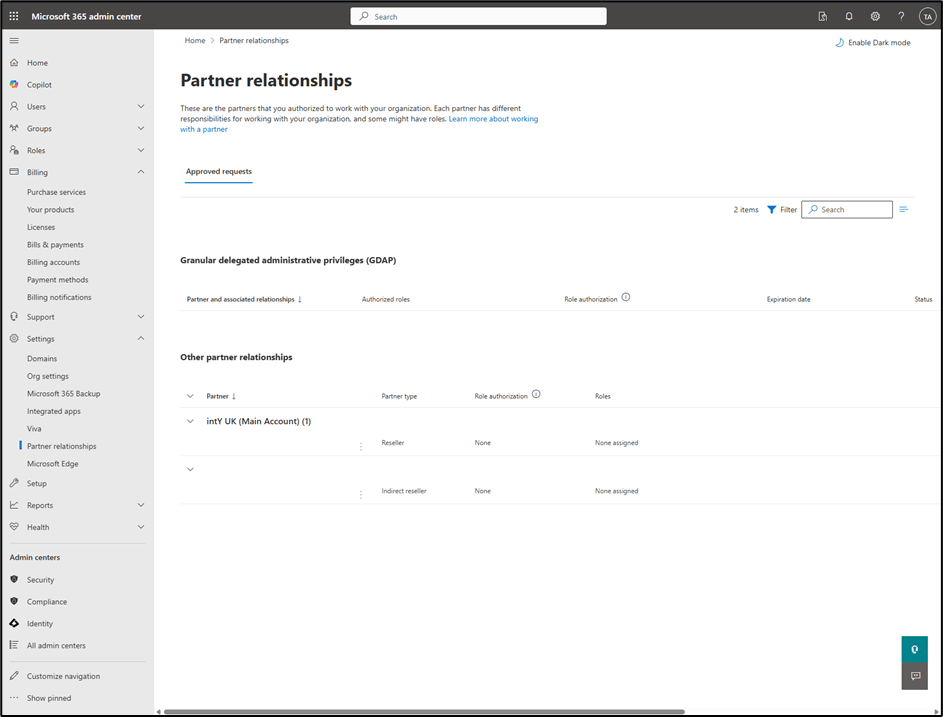
So I got in touch with the three Microsoft partners and distributors in question and requested they removed the partner relationship, once they had been successfully removed, a few days later the Entra tenant was able to be deleted successfully.
So if you’re ever in a similar situation and can’t delete an Entra tenant, I would certainly recommend you checking to see if there are any legacy relationships left over, you can check this here: Microsoft 365 Admin Centre -> Settings -> Partner Relationships (https://admin.microsoft.com/#/partners).
Hope this helps and thanks for reading!
